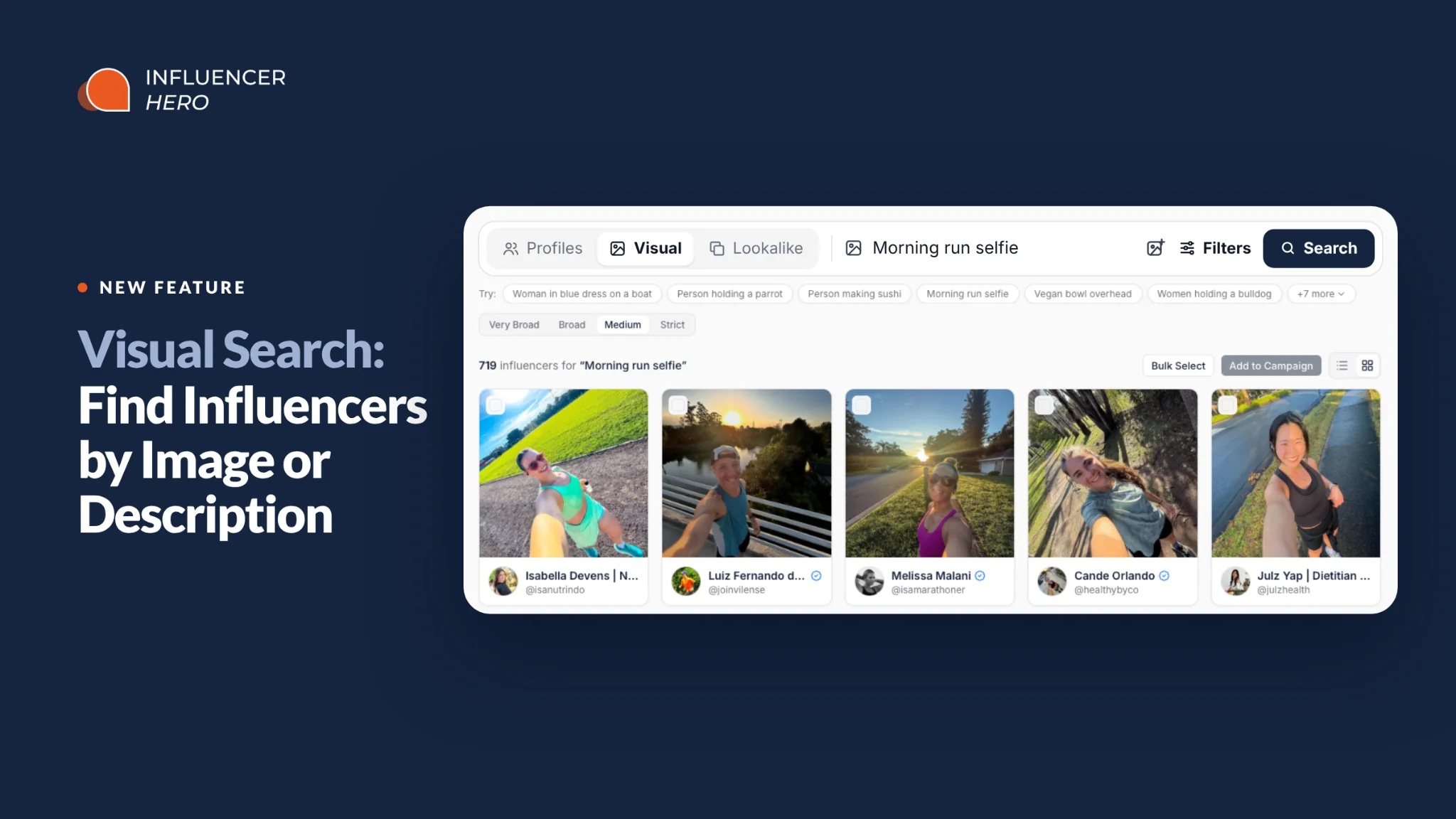
Visual Search: Find Influencers by Image or Description

November 2, 2026
|
Published

November 2, 2026
|
Updated

8 minutes
|
Reading

Influencer Performance Marketing Course | VOUCHER: IMC100

Gabriela Molina
I Author

Table of Contents
Drive ROI With Influencers

Global Influencer Database
ALL-IN-ONE platform
CRM, Affiliate, UGC & More
Visual Search: Find Influencers by Image or Description
Most influencer search starts with words: a keyword in a bio, a hashtag, a niche label. But campaigns are visual. You don't really want "fitness creators". You want creators who film sunrise runs, or shoot overhead meal prep, or hold the product up to the camera in natural light.
That's what Visual Search is for. It's part of the new Influencer Finder in Influencer Hero, and it searches the posts themselves. Describe the content you're looking for, or upload an image, and it finds creators whose content visually matches.
Here's how it works, what it's good at, and how to get the best results.
What Is Visual Search?
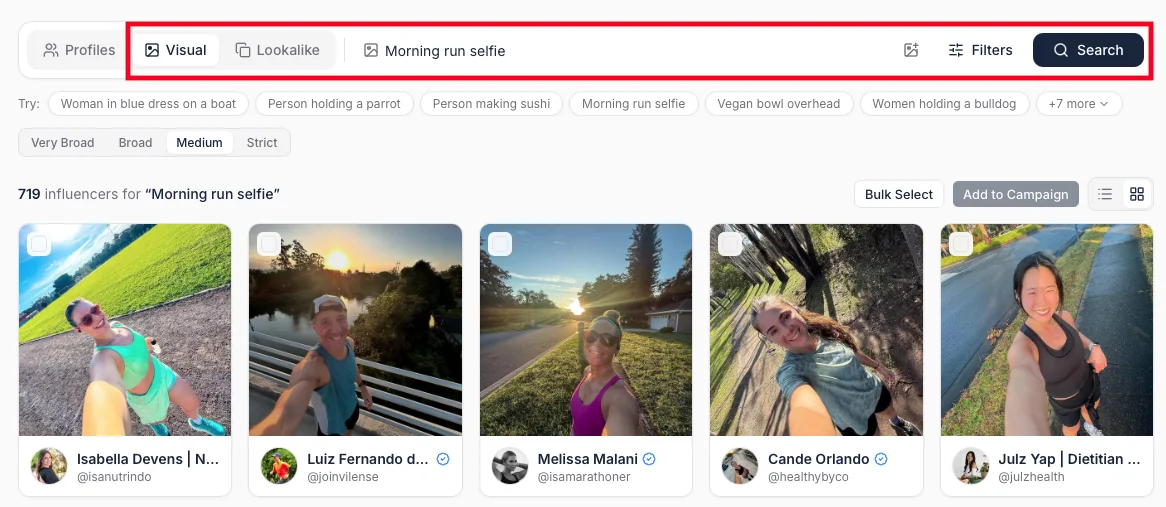
Visual Search finds influencers based on what their posts look like. In the Finder, it's the "Search by image or description" option, and it works two ways:
- Describe it. Type the scene you want to see, like "woman in a blue dress on a boat" or "chef making sushi".
- Upload it. Drop in an image (a post that performed well for your brand, a moodboard shot, a competitor's campaign) and find creators who post similar content.
Instead of matching keywords, the AI looks at the images creators actually post and returns the closest visual matches. It runs on Influencer Hero's proprietary search engine, which indexes around 100 million Instagram profiles.
Why Search by Content Instead of Bios?
A bio tells you what a creator says about themselves. Their posts tell you what they actually make. For most campaigns, the posts matter more.
Keyword search misses a lot. A creator who posts overhead shots of vegan bowls every week might never write "vegan" in their bio. A runner who shares a morning selfie after every run might caption it with an emoji. Visual Search finds them anyway, because it reads the images, not the captions.
It picks up things keywords can't:
- Scenes and settings: a dark, moody gym; a kitchen shot from above; a city run at sunrise.
- Objects and actions: holding a dumbbell, making sushi, applying a brow product.
- Fine details: it can tell a bulldog from other breeds, or a professional chef from a home cook.
- Style and mood: lighting, composition, clothing style and the overall look of a shot.
How to Use Visual Search
Search by Description
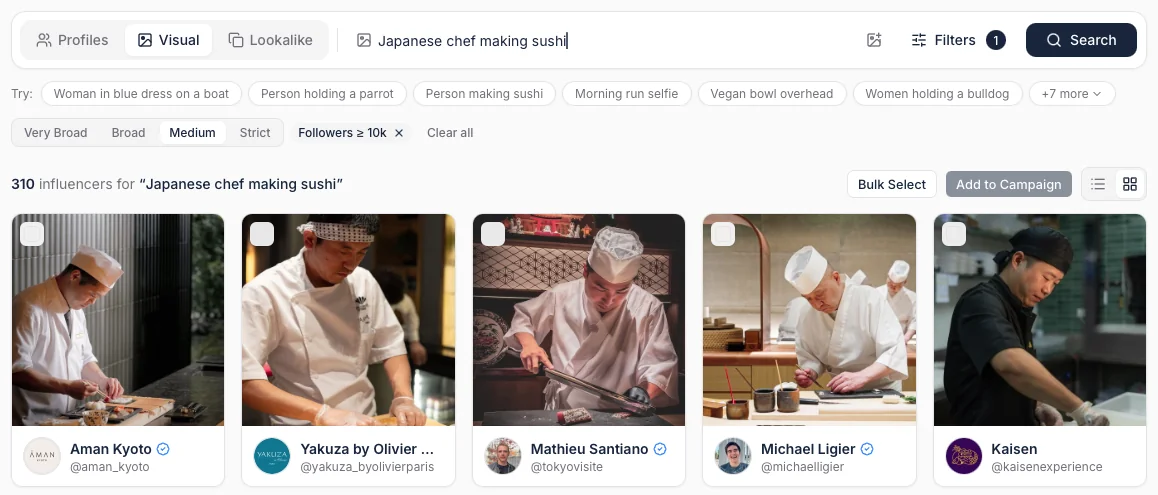
Open the Influencer Finder, choose "Search by image or description" and type what you want to see. Be specific. Each detail you add sharpens the results:
- "Person making sushi" returns everyone making sushi, including home cooks.
- "Chef making sushi" narrows it to professional chefs.
- "Japanese chef making sushi" narrows it further.
The results are precise. Search "woman in a blue dress on a boat" and you get exactly that. Search "morning running selfie" and you get runners taking selfies on morning runs, morning light included. Search "woman holding a bulldog" and every result shows a woman holding a bulldog.
Search by Image
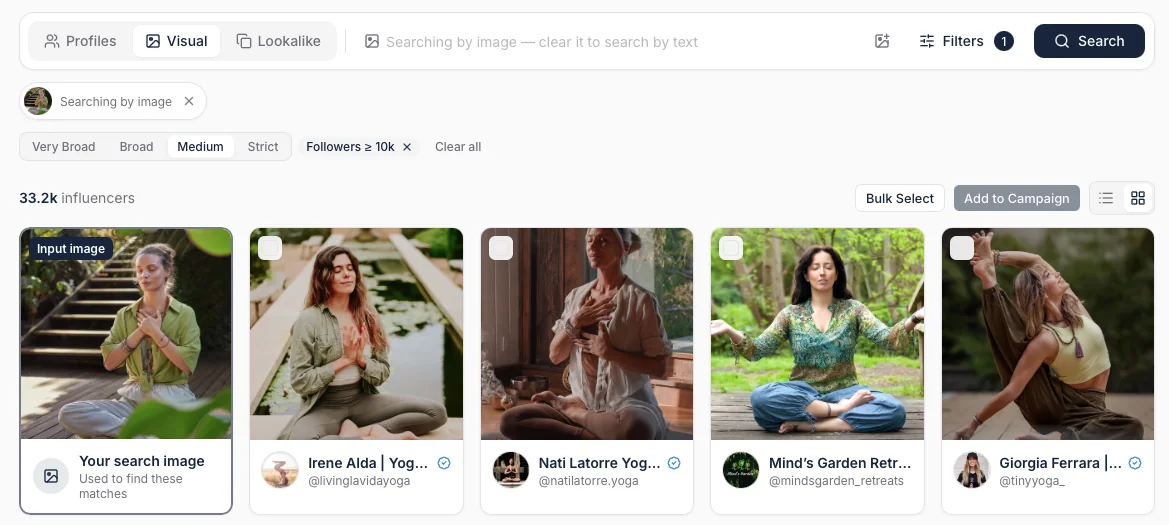
Have a post you love? Upload it or drag and drop it into the search, and Visual Search finds creators who post similar content.
It matches more than the main subject. Upload a photo of a man holding a dumbbell in a dark gym and you get men holding dumbbells, mostly in the same dark, moody setting. Upload a fashion shot and you get creators with a similar scene, layout and clothing style. If the exact image you uploaded is in the index, it will often find the creator who posted it, too.
This is the fastest way to scale a creative that works. Take the post that drove the most sales last quarter, upload it, and get a list of creators who already shoot content like it.
Add Filters on Top
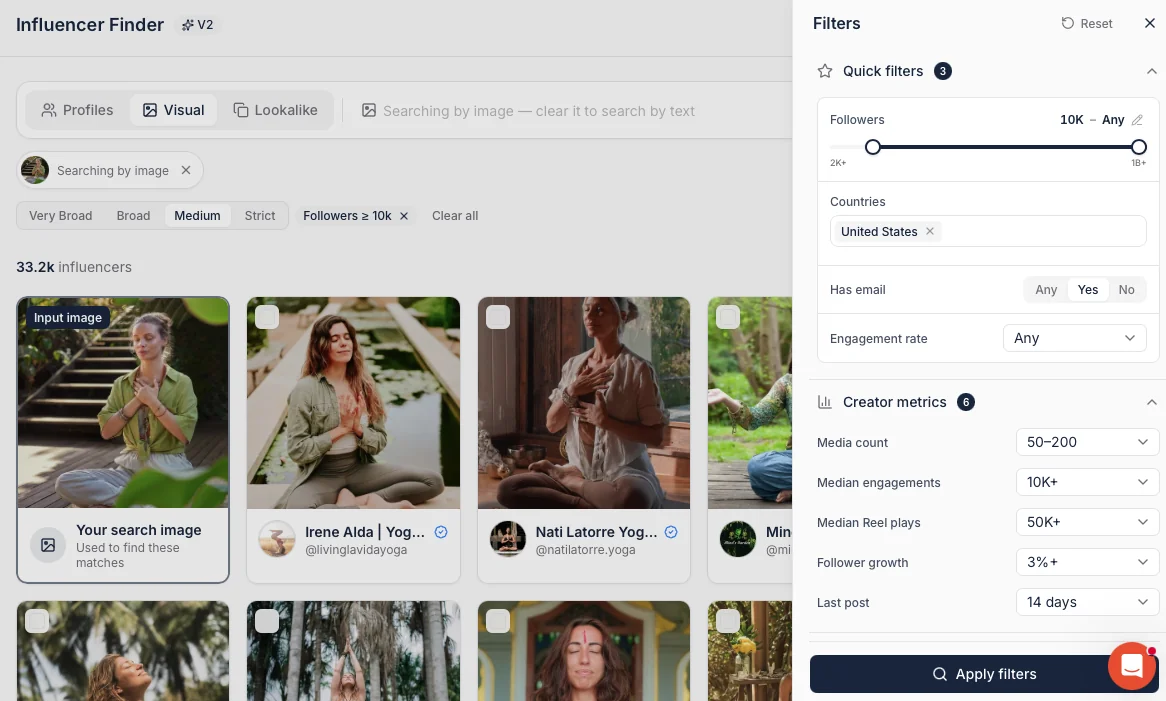
Visual Search works with the regular Finder filters. Once you have results, add country, follower range, has email or any other filter to keep only the creators you can actually work with.
Tip: Visual Search takes a little longer than other searches because it's scanning images. Setting a country filter first makes it noticeably faster.
Set How Strict It Should Be
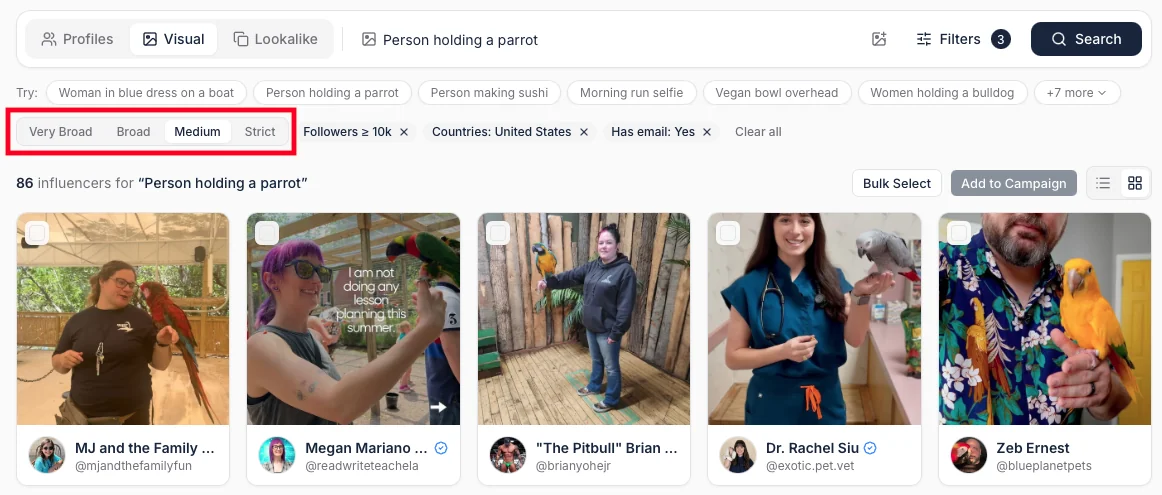
Like every search in the new Finder, you can set how strictly results have to match, from very broad to strict. Go strict when you want exact matches. Go broad when your niche is small and you're happy to see close variations.
Quick Comparison: Description vs Image
When Visual Search Works Best
Visual Search is built for specific, niche searches where fit matters more than volume. If you need 10,000 creators at once, start with AI Profile Search or lookalikes. If you need the right 50, start here.
Briefs That Only Make Sense as a Picture
Some briefs are hard to put into keywords: "creators who shoot in dark, moody gyms", "clean, beige home aesthetic", "parents filming bath time". Describe the scene and let Visual Search find it.
Scaling a Post That Already Worked
When one creator's post outperforms the rest, you want more of that content. Upload it and find creators who already shoot that way, instead of hoping a new creator can copy the style.
Showing Exactly How a Product Is Used
Need creators who show the product in hand, in use, or in a specific setting? Describe it. One search for a brow product returned creators all holding the same type of product to camera.
Wowing a Client in a Pitch
For agencies, Visual Search is a strong live demo. Type the client's dream post, and a page of creators who already make it shows up. It's much easier to sell a shortlist when everyone can see the match.
Turn a Few Good Matches Into a Long List
Visual Search is great for finding the right look. Lookalikes are great for scaling it. Use them together:
- Run a Visual Search and pick the three to five creators that fit best.
- Click any creator to preview their feed and metrics without leaving Influencer Hero.
- Add your best picks to a campaign.
- Run a lookalike search on that campaign to find more creators like all of them at once.
You get the precision of Visual Search with the reach of lookalikes.
Tips for Better Results
- Describe the scene, not the category. "Woman applying sunscreen on a beach" beats "beauty creators".
- Add one detail at a time. Start broad, then add the person, the setting or the style until the results look right.
- Use an image when words fall short. If you can't describe a vibe, upload an example.
- Filter early. A country filter makes searches faster and results more relevant.
- Adjust the strictness. Strict for exact matches, broad for small niches.
How It Fits With the Rest of the New Influencer Finder
Visual Search is one of several new ways to find creators in Influencer Hero:
- AI Profile Search reads a creator's profile and posts from a plain-language prompt, like "vegan personal trainers in the US". [[ADD LINK — /blogs/ai-profile-search]]
- Lookalike search finds creators similar to one or more handles, or to a whole campaign.
- Deep Research turns a brief into 10 to 20 searches, including visual searches, and scores every creator from 1 to 100.
- The Influencer Hero MCP lets you run creator searches from Claude, ChatGPT or Gemini.
For the full picture, see our guide to influencer discovery.
Beyond the new Finder, Influencer Hero covers Instagram, YouTube and TikTok, with high-performing creators from a 450M+ global database. And when you want a person, not a prompt, brands on managed plans get 24/7 support from a human account manager.
Final Thoughts
The best creators for your brand aren't always the ones with the right keywords in their bio. They're the ones whose content already looks like your campaign. Visual Search lets you find them by what they post, whether you describe the shot or upload an example.
Want to see it run on your own brief? Book a demo and we'll run a Visual Search for your brand live.
Summary
This is some text inside of a div block.
This is some text inside of a div block.
Pricing/Month
Shopify Reviews
This is some text inside of a div block.
This is some text inside of a div block.
This is some text inside of a div block.
This is some text inside of a div block.
This is some text inside of a div block.
This is some text inside of a div block.
This is some text inside of a div block.
This is some text inside of a div block.
This is some text inside of a div block.
This is some text inside of a div block.
This is some text inside of a div block.
This is some text inside of a div block.
This is some text inside of a div block.
This is some text inside of a div block.
This is some text inside of a div block.
This is some text inside of a div block.
This is some text inside of a div block.
This is some text inside of a div block.
This is some text inside of a div block.
This is some text inside of a div block.
This is some text inside of a div block.
Read More

FAQs



Most Popular Blogs


Drive ROI With Influencer Marketing
Join 1,200+ brands and 150+ agencies scaling creator programs with Influencer Hero.