Commission Holding Period: Pay Influencer Commissions Net of Returns

October 28, 2026
|
Published

October 28, 2026
|
Updated

4 minutes
|
Reading

Influencer Performance Marketing Course | VOUCHER: IMC100

Malena Garcia
IH Author
Drive ROI With Influencers

Global Influencer Database
ALL-IN-ONE platform
CRM, Affiliate, UGC & More
Commission Holding Period: Pay Influencer Commissions Net of Returns
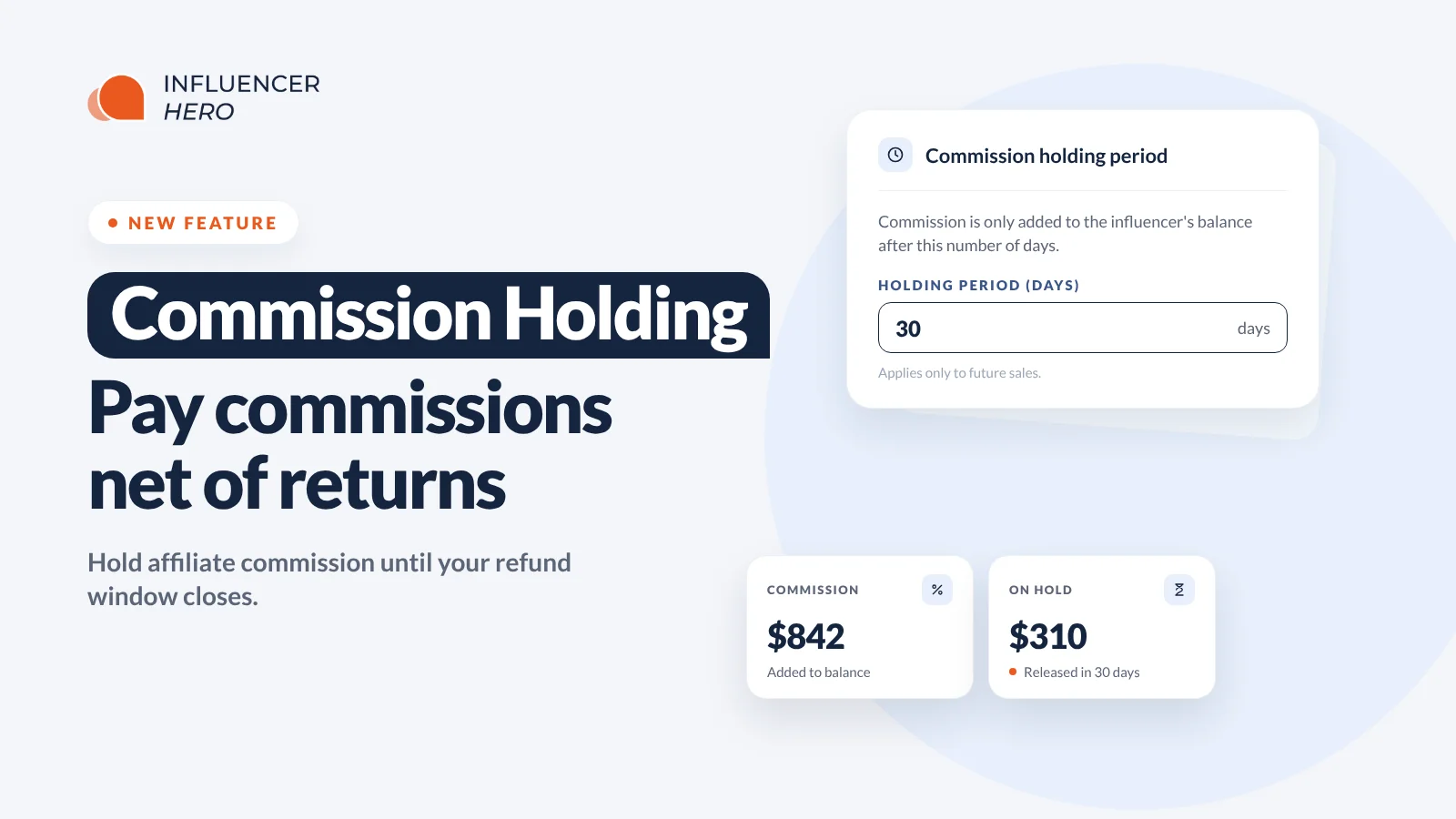
Influencer Hero now lets you set a commission holding period. Commission from a referred order stays on hold for the number of days you choose, and only gets added to the creator's balance once that period is over.
It's a small setting with a big impact for brands with a high return rate. Match it to your refund window and every commission you pay out is net of returned orders.
What's New
- Commission holding period: delay when commission from a referred order is added to the creator's balance.
- You pick the number of days: set it to match your refund window, for example 30 days.
- Refunds are deducted first: if an order is returned during the holding period, that commission never reaches the creator's balance.
- "Commission on hold" on every creator: see exactly how much commission is waiting on each creator's Affiliate tab.
- Off by default: a holding period of 0 adds commission immediately, just like before.
Why Brands Asked for This
Some industries live with high return rates. In fashion, for example, customers often order several sizes and send back what doesn't fit or what they didn't like.
Without a holding period, a creator earns commission the moment an order comes in. If half of that order is returned two weeks later, you've already credited (or paid) commission on sales you don't get to keep. Clawing it back afterwards is awkward for everyone.
With a holding period that matches your refund window, the return happens before the commission is added. The creator's balance only ever shows commission on orders that stuck.
How to Set It Up
Go to Payouts > Payout Settings > Commission holding in your payout manager.
Under Holding period (days), enter the number of days you want to hold commission. Most brands will want to match their refund policy: if customers can return items within 30 days, set it to 30.
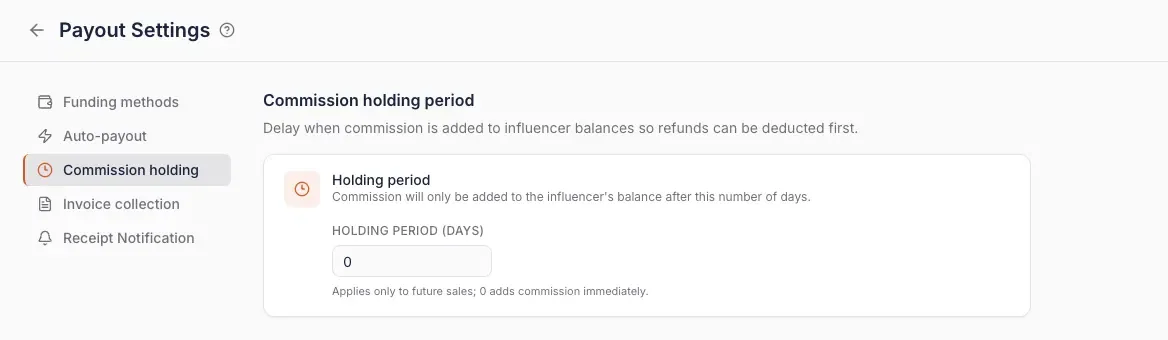
Two things to know:
- It only applies to future sales. Commission on orders that came in before you changed the setting isn't affected.
- 0 means no holding period. Commission is added to the creator's balance immediately.
Where Creators' Held Commission Shows Up
Open any creator and go to the Affiliate tab. Next to Sales, Earnings and Commission, you'll now see Commission on hold: the commission that's waiting for the holding period to end before it's added to their balance.
That makes it easy to answer a creator who asks why their earnings haven't landed yet.
When to Use It (and When Not To)
A holding period protects your margins, but it also means creators wait longer to get paid. That can add a bit of friction when you're negotiating with them.
It works best when your brand has some leverage:
- Well-known brands that creators are keen to work with anyway.
- Programs that also pay fixed fees, so the creator isn't relying on commission alone.
- Categories with high return rates, like fashion and apparel, where the savings are real.
If you're a newer brand trying to recruit creators on commission only, a long holding period might cost you sign-ups. In that case, start with 0 or a short period and adjust once your affiliate program has momentum.
Whatever you choose, tell creators upfront. Mention the holding period in your outreach or brief so it's never a surprise.
Why This Matters
- Pay on real revenue: commission is only added for orders that weren't returned.
- No awkward clawbacks: refunds are handled before the money reaches the creator's balance.
- Clear for everyone: creators and your team can see held commission on every Affiliate tab.
- Your call: set it per your refund policy, or leave it at 0.
Commission That Reflects Real Sales
The commission holding period is a simple way to make sure your affiliate payouts match the revenue you actually keep. Set it to your refund window, let creators know, and stop paying commission on returned orders.
Book a demo to see how commission holding fits into your influencer program.
Summary
This is some text inside of a div block.
This is some text inside of a div block.
Pricing/Month
Shopify Reviews
This is some text inside of a div block.
This is some text inside of a div block.
This is some text inside of a div block.
This is some text inside of a div block.
This is some text inside of a div block.
This is some text inside of a div block.
This is some text inside of a div block.
This is some text inside of a div block.
This is some text inside of a div block.
This is some text inside of a div block.
This is some text inside of a div block.
This is some text inside of a div block.
This is some text inside of a div block.
This is some text inside of a div block.
This is some text inside of a div block.
This is some text inside of a div block.
This is some text inside of a div block.
This is some text inside of a div block.
This is some text inside of a div block.
This is some text inside of a div block.
This is some text inside of a div block.
Read More

FAQs





Most Popular Blogs


Drive ROI With Influencer Marketing
Join 1,200+ brands and 150+ agencies scaling creator programs with Influencer Hero.