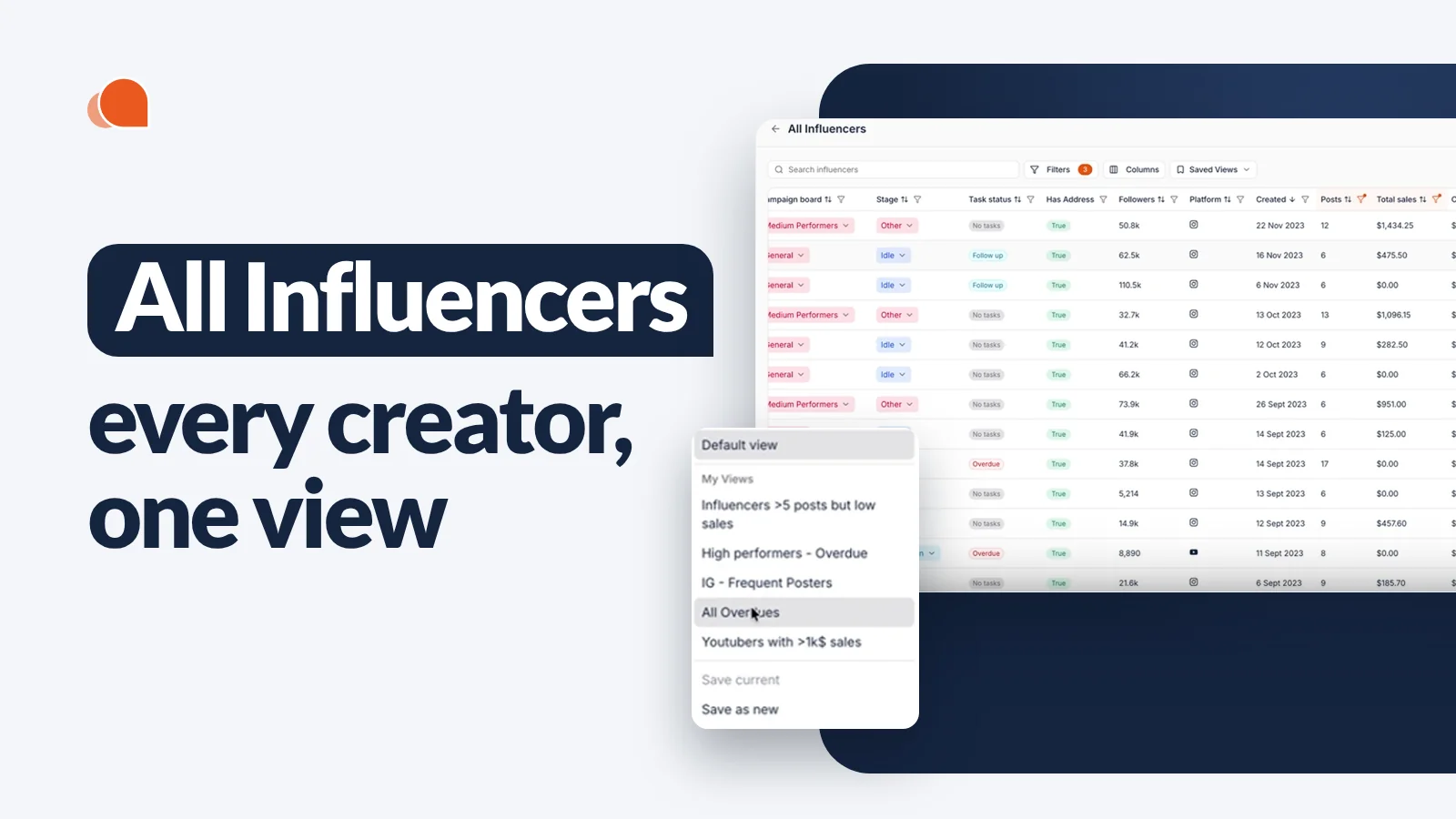
All Influencers Tab: See and Manage Every Creator in Your CRM From One View

October 28, 2026
|
Published

October 28, 2026
|
Updated

5 minutes
|
Reading

Influencer Performance Marketing Course | VOUCHER: IMC100

Malena Garcia

Drive ROI With Influencers

Global Influencer Database
ALL-IN-ONE platform
CRM, Affiliate, UGC & More
All Influencers Tab: See and Manage Every Creator in Your CRM From One View
Influencer Hero now has an All Influencers tab. It gives you one list of every creator in your CRM, across every campaign.
Filter it down in seconds (or let AI build the filters for you), add the columns you care about, save the view for later and take action on a whole group at once. No more clicking through 20 campaigns one by one to find the creators that need attention.
What's New
- One list for every creator: all the influencers in your CRM, across all campaigns, in a single view.
- Filters, including AI filters: describe what you're looking for in plain English and the filters set themselves.
- Custom columns: show almost any information from your CRM as a column, in the order you want.
- Saved views: save a combination of filters and columns and come back to it anytime.
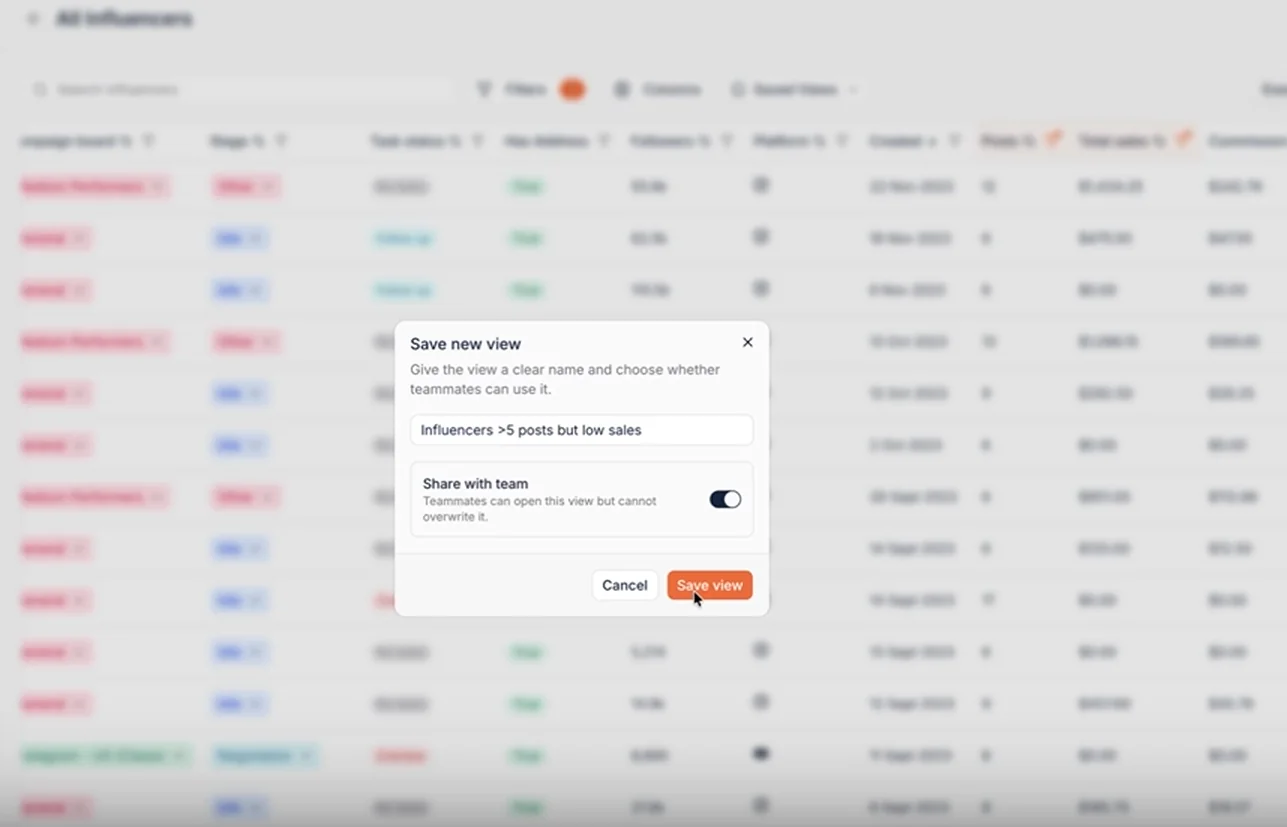
- Shared views: make a view available to your whole team (they can open it, not overwrite it).
- Bulk actions: select a group of creators and send an email, send a product, request content, start a flow, create a task, export data and more.
- Filter by your own custom fields: create fields like “Influencer manager” in settings, assign each creator, and filter your list by them, for example to see every creator a specific manager owns.
Where to Find It
Open the campaign manager and click All Influencers at the top right.
You'll see every creator in your influencer CRM. On a mature account that can easily be tens of thousands of profiles, so the real power comes from what you do next: filter, add columns and save.
Filter Your Creators (or Let AI Do It)
There are 20+ filters to choose from, which is a lot to set by hand. That's why you can also create filters with AI.
Just type what you need. For example: "Influencers in the US who posted more than 5 times but made less than $2K in sales." The AI turns that into filters (country: US, number of posts: 5+, total sales: under $2K) and you apply them with one click.

Filters also work with your custom fields. Fill in custom fields on deal pages (like a current or maximum commission) and you can filter the whole list by them.
A setup we recommend to almost every team: create a custom field called “Influencer manager” in settings and add each of your influencer managers as an option. Assign every creator to their manager, and from the All Influencers tab you can filter by manager to see exactly which creators each person owns. Save it as a view per manager, and everyone on the team has their own roster one click away.
Add the Columns You Need
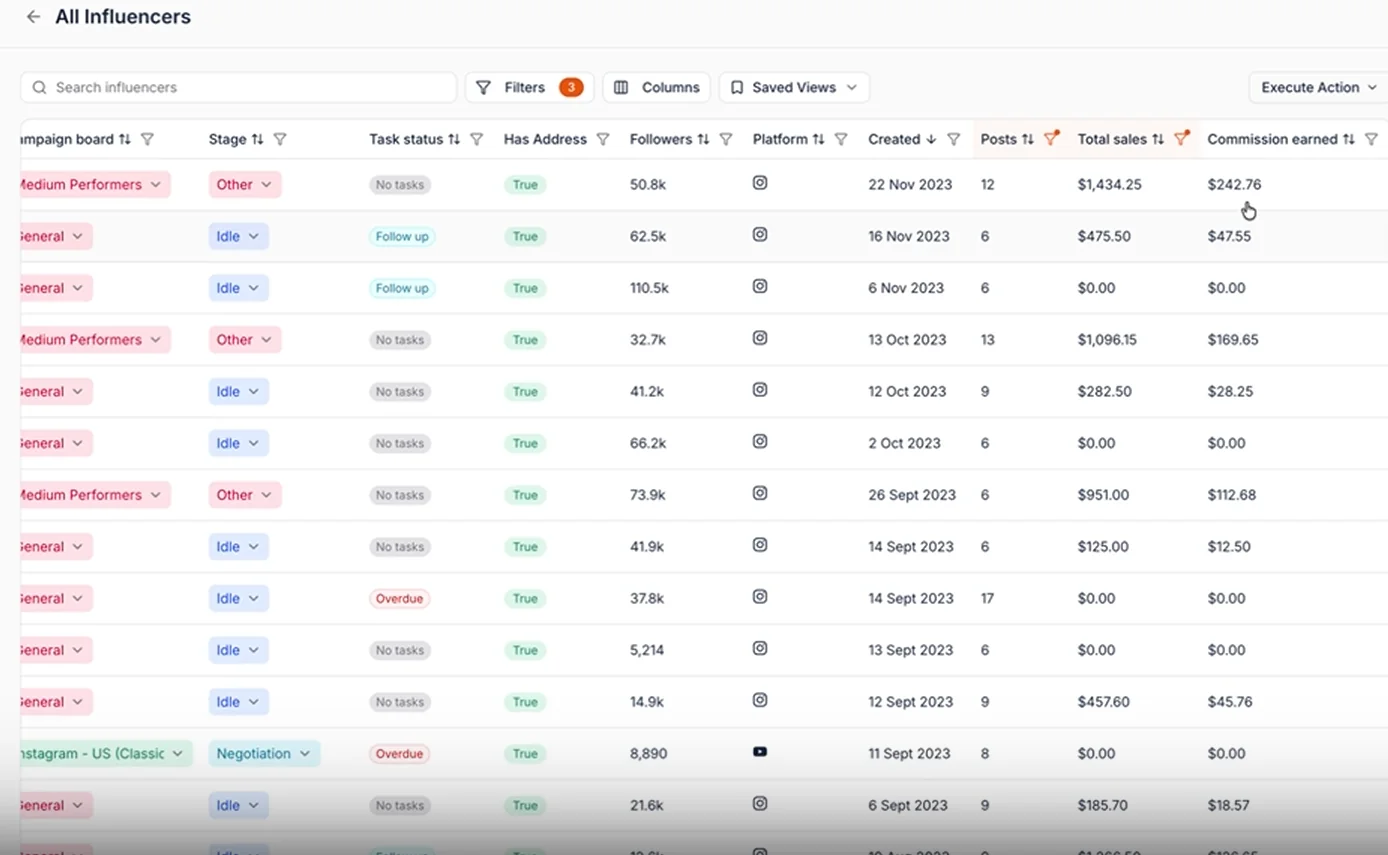
Under Columns, choose what each row shows. Pretty much any information in your CRM can be added as a column, and you can change the order.
Say you're looking at creators who post a lot but don't sell much. You'll probably also want to see the commission they've earned. Add a "Commission earned" column and it shows up right next to posts and total sales.
Save Views and Share Them With Your Team
Once you have a good mix of filters and columns, save it as a view. Give it a name like "More than 5 posts, low sales" and switch on Share with team if you want the rest of your team to use it. Teammates can open a shared view but can't overwrite it.
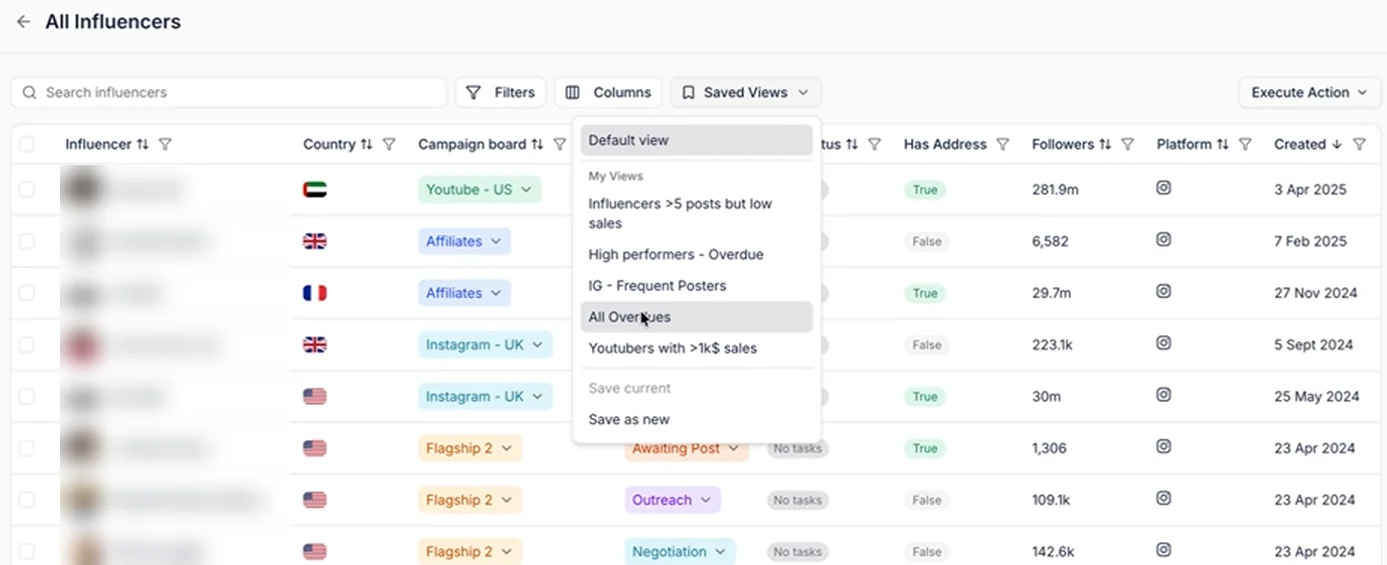
Next time you open All Influencers, your saved views (and your teammates' shared views) are ready to go.
A few views worth setting up:
- High performers with overdue tasks: creators with more than $1,000 in sales and an overdue task. Your best affiliates should never be waiting on you.
- Frequent posters: Instagram creators who posted more than 5 times.
- Top YouTube sellers: YouTubers with more than $1K in sales.
- All overdues: every creator with an overdue task, across all campaigns.
- High effort, low sales: creators posting often but selling little. Time to rethink their offer or brief.
An influencer manager can check a view like "High performers with overdue tasks" once or twice a week. That beats opening every campaign and guessing which overdue task actually matters.
Take Action on a Whole Group
Select the creators in your view, click Execute Action and run it on all of them at once:
- Export data from your filtered list
- Send an email, or let AI write it
- Send a product
- Create a note or create a task
- Request content
- Send a flow, or bulk deactivate email flows
- Send a dashboard invitation
- Run integration actions
It works like the bulk tool, but across your entire CRM instead of a single campaign.
Why This Matters
- One view across campaigns: stop jumping between 20 boards to find the creators you need.
- Spot what moves the needle: filter by sales, posts and commission to find your top performers and your underperformers.
- Less setup, more doing: AI filters turn a plain-English question into a filtered list in seconds.
- Routines your team can share: saved views turn your weekly checks into a two-minute habit for everyone.
- Act at scale: go from "who needs attention?" to emailing, gifting or tasking them in the same place. Pair it with automations and reporting to keep your program running.
Your Whole Creator Roster, One Click Away
The All Influencers tab turns your CRM into one searchable, filterable list. Build filters with AI, show the columns you need, save the views you use every week and act on whole groups of creators at once.
Book a demo to see how the All Influencers tab fits into your influencer program.
Summary
This is some text inside of a div block.
This is some text inside of a div block.
Pricing/Month
Shopify Reviews
This is some text inside of a div block.
This is some text inside of a div block.
This is some text inside of a div block.
This is some text inside of a div block.
This is some text inside of a div block.
This is some text inside of a div block.
This is some text inside of a div block.
This is some text inside of a div block.
This is some text inside of a div block.
This is some text inside of a div block.
This is some text inside of a div block.
This is some text inside of a div block.
This is some text inside of a div block.
This is some text inside of a div block.
This is some text inside of a div block.
This is some text inside of a div block.
This is some text inside of a div block.
This is some text inside of a div block.
This is some text inside of a div block.
This is some text inside of a div block.
This is some text inside of a div block.
Read More

FAQs





Most Popular Blogs


Drive ROI With Influencer Marketing
Join 1,200+ brands and 150+ agencies scaling creator programs with Influencer Hero.